 Vinodh Ramu
Part 1 of “My Journey in Building AI Agents from Scratch”
Introduction
This is the beginning of my journey in building AI agents from scratch. With 15 years in IT — moving from Data Engineering to ML Engineering to now working as an AI Engineer/Architect — I thought I had a solid grip on building intelligent systems. I’ve seen technologies come and go. I’ve adapted, learned, and evolved with each wave. But when “agentic AI” started dominating every conversation in 2024, I realized something was different this time.
Everyone in the industry was talking about agents. Blog posts, conferences, Twitter threads, internal meetings — everywhere I looked, someone was building an “AI agent” for something. Solutions were popping up everywhere, each with a different approach, different terminology, different architectures. It was exciting, but also overwhelming.
As someone responsible for technical direction in my organization, I felt a growing pressure. We couldn’t have every team building agents in their own way. We needed a standardized approach — a common framework that teams could adopt, customize, and scale. But before I could propose any standards, I had to deeply understand what agents really were.
So I started from the basics.
Learning the Fundamentals of AI Agents
I began learning how agents actually perform actions. The concept of tool calling was my first revelation. LLMs don’t just generate text — they can be instructed to suggest which tool to call and with what parameters. The LLM analyzes the user’s request, decides if a tool is needed, and outputs a structured response indicating the tool name and its arguments. Then, our code executes the tool, captures the result, and feeds it back to the LLM for the next step.
Simple enough, right? I thought I understood agents now.
Then a colleague casually mentioned something that stopped me: “You know, agents do all of this automatically. The loop, the tool execution, the back-and-forth — frameworks handle all of it.“
That’s when I realized I was still thinking like an ML engineer — focused on the model, not the system around it. I needed to think bigger. I needed to explore the frameworks that orchestrate these loops.
Why I Chose Autogen for Building AI Agents
I started researching open-source agentic frameworks. LangChain , CrewAI , Autogen, Semantic Kernel, and several others. Each had its strengths, its community, its philosophy.
I landed on Autogen for a specific reason: native multi-agent support.
My use case wasn’t a single chatbot answering questions. I envisioned multiple agents — each with a different system prompt, each specialized for a different task. One agent for analysis, another for code generation, another for validation. I needed a framework that could handle a team of agents working together, passing context between them, coordinating their outputs.
Autogen was designed exactly for this. Microsoft had built it with multi-agent conversations as a first-class concept. That’s what drew me in.
What Worked with the Autogen Framework
Setting up Autogen was quick. The documentation was clear, and the examples were practical. Within a few hours, I had a working prototype with two agents talking to each other.
from autogen import AssistantAgent, UserProxyAgent

# Create an assistant agent
assistant = AssistantAgent(
    name="assistant",
    llm_config={"model": "gpt-4"}
)

# Create a user proxy that can execute code
user_proxy = UserProxyAgent(
    name="user_proxy",
    human_input_mode="NEVER",
    code_execution_config={"work_dir": "coding"}
)

# Start the conversation
user_proxy.initiate_chat(
    assistant,
    message="Write a Python function to calculate fibonacci numbers"
)
The framework handled the complexity:
- Agent conversations — Agents could talk to each other seamlessly
- Team orchestration — Multiple agents with different roles, working as a unit
- Built-in patterns — Common workflows like code generation, review, and execution came out of the box
It felt like magic. I could describe what I wanted, and the agents would figure out the rest. I was impressed.
Limitations I Discovered with Agent Frameworks
But magic has a cost: I couldn’t see what was happening inside.
At first, this was fine. The framework worked. Results were good. But as I tried to customize the behavior — change how agents decided what to do next, modify the conversation loop, inject custom logic between steps, handle edge cases differently — I started hitting walls.
Want to add a custom reasoning step before tool execution? Not straightforward. Need to modify how the agent decides when to stop? Dig through layers of abstraction. Want to understand why the agent made a particular decision? Good luck debugging that.
Perhaps it was my limited understanding of Autogen at the time. The framework might not have been designed for that level of customization. Or maybe I was asking the wrong questions.
Either way, I felt a growing discomfort. I was using agents, but I wasn’t truly understanding them. I was building on top of a black box, and that didn’t sit right with me. This is when I first considered building AI agents from scratch.
The Realization That Changed Everything
Curiosity got the better of me. I started digging into what agents actually do under the hood — reading source code, tracing execution flows, drawing diagrams.
And I discovered something that changed everything:
The LLM just suggests which tool to call and with what parameters. We have to execute the tool.
That’s it. That’s the core of an agent. The LLM is not executing anything. It’s just a decision-maker, a planner. The actual work — calling APIs, running code, fetching data — that’s all our code.
So I built one. A minimal agent loop: call the LLM, check if it wants to use a tool, execute the tool, feed the result back. Repeat until done.
# The simplest agent loop (pseudocode)
while not done:
    response = llm.chat(messages)

    if response.has_tool_call:
        result = execute_tool(response.tool_call)
        messages.append(tool_result(result))
    else:
        done = True
I looked at it and thought: “Wait… that’s it? Agents are this simple?“
I felt a mix of excitement and embarrassment. Excitement because I finally understood the core. Embarrassment because I had been intimidated by something so fundamentally straightforward.
Then I kept digging. And that’s when humility returned.
There’s So Much More to Building AI Agents
The simple loop was just the beginning. Real-world agents need:
- Sessions — How do you maintain context across conversations?
- Memory — How do you remember what happened yesterday?
- Reasoning — How do you make the agent think before acting?
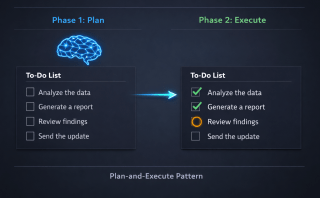
- Planning — How do you break complex tasks into steps?
- Orchestration— How do you coordinate multiple agents?
- Error handling — What happens when a tool fails?
The core is simple. The depth is vast.
That’s when I made a decision: To truly understand the agentic world, I need to build my own AI agent framework from scratch. Not to replace Autogen or LangChain — they’re excellent tools. But to learn. To internalize. To be able to make informed decisions about when to use a framework and when to build custom.
This series documents that journey of building AI agents from scratch.
Key Takeaways
- Frameworks are great for getting started — Autogen got me up and running in hours, not days
- Abstraction hides understanding — I was using agents without knowing how they worked
- The core is deceptively simple — LLM suggests tools, we execute them
- The depth is vast — Sessions, reasoning, planning, orchestration… there’s a whole world beyond the basic loop
- Building AI agents from scratch teaches you everything — And that’s what this series is about
Try It Yourself
- Install Autogen: `pip install autogen-agentchat`
- Create a simple two-agent conversation following the Autogen quickstart guide
- Ask yourself: “Do I know what’s happening inside?”
- Try to customize the agent loop — see where you hit limits
- Read the Autogen source code — trace what happens when you call `initiate_chat()`
This is Part 1 of my 12-part series on building AI agents from scratch. Next up: Building AI Agents: My First Agent with LLM and Tool Calling — where I strip away the framework and build an agent from scratch.